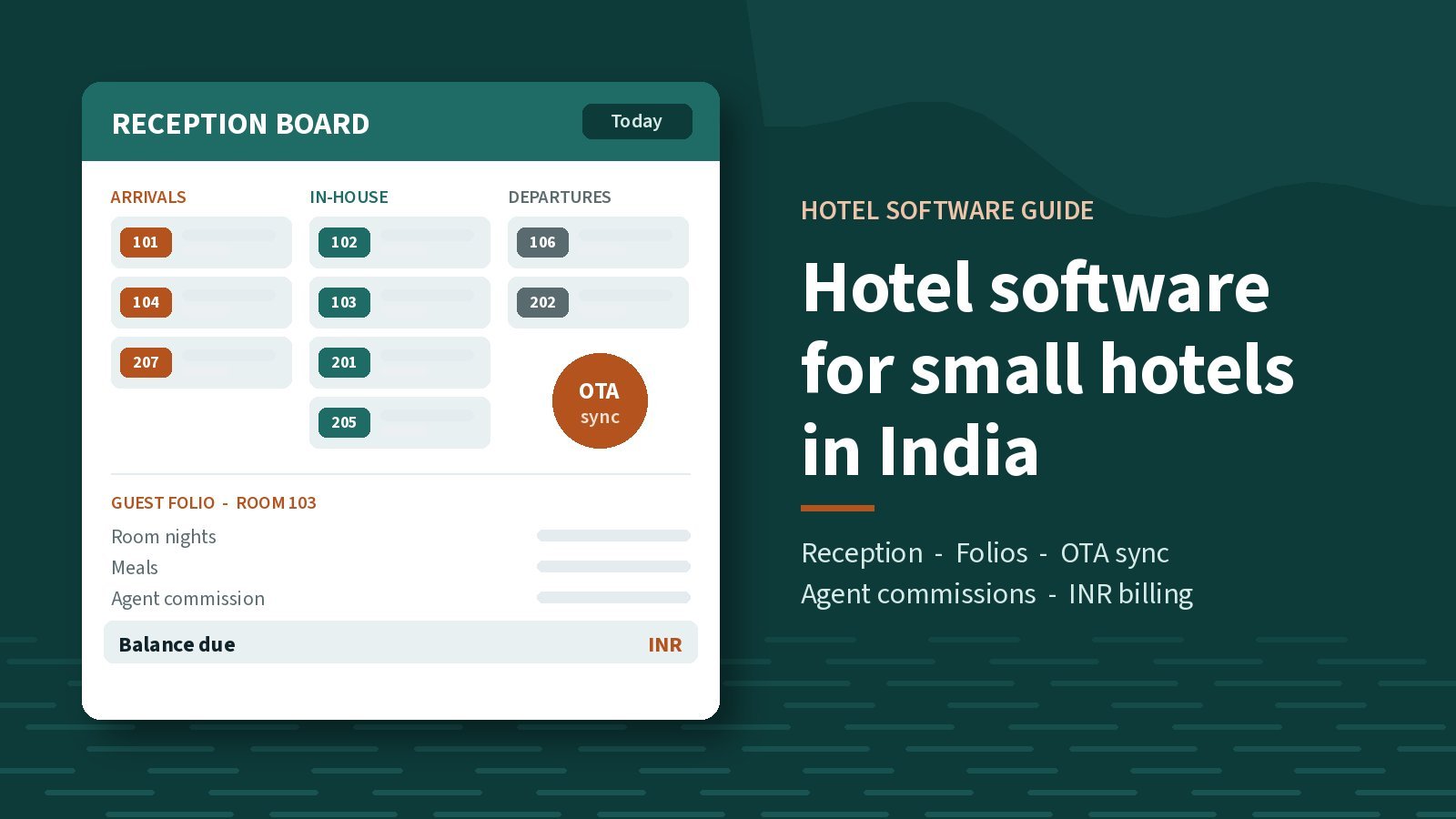
Most small hotels in India do not need software built for a hotel chain. They need one screen that shows who is arriving today, which rooms are free, what each guest owes, and which bookings came from an OTA, a travel agent or a walk-in. If the desk today runs on an OTA extranet, a paper register and an Excel sheet, good hotel management software for small hotels in India should replace all three without asking your staff to learn a system designed for a 300-room resort.
This is a buyer's checklist for independent hotels, guest houses and houseboats. We make HotelBooks, a cloud hotel PMS for independent hotels, so read it with that in mind. The questions below are the ones we would want any owner to ask of any product, ours included, before signing up.
Where a small hotel desk loses time
A small front desk usually works from three or four places at once. OTA bookings sit in each OTA's extranet. Travel-agent bookings come in by phone or WhatsApp and get written into a register. Walk-in guests pay at the desk, and their bill is typed into a spreadsheet at checkout.
The trouble starts when they overlap. Two bookings land on the same room on a busy weekend. A checkout bill misses the second night's dinner. A travel agent asks at month-end what commission they are owed, and nobody can answer without an afternoon with the register. None of this is a staff problem. It is what happens when one hotel's bookings live in four places.
Software fixes it only if it brings those pieces together and the desk actually uses it every day. Keep that test in mind for every point below.
The checklist: what small hotel software should do
1. A reception board for today
The first screen the desk opens should show arrivals, departures and in-house guests. If staff have to run a report or scroll a calendar to answer "who is checking in today?", they will drift back to the register within a month. On a demo, ask the vendor to walk through a normal morning: three arrivals, two checkouts and one guest who wants to stay an extra night.
2. Rooms and rates next to the guests
Room inventory and rates should live in the same system as the bookings, so a room sold on one channel is not sold again on another, and the rate on the bill matches the rate that was agreed. Ask how the software handles different rates for the same room: an OTA rate, a travel-agent rate, a walk-in rate and a busy-season rate.
3. A folio for every stay
A folio is the running bill for one stay: room nights, meals, extra beds, laundry and any advance paid. When every stay has its own folio from check-in, checkout is a quick review, not a sum done while the guest waits with their bags. Ask to see a folio with an advance, a room change and a few extras on it, and ask how the guest gets a copy.
4. Travel-agent commissions
For many hotels in tourist areas, travel agents are a regular source of bookings. Each of those bookings carries a commission, and working it out later from the register is where disputes begin. The software should record which agent brought which booking and what is owed on it. Ask the vendor to show you everything owed to one agent for one month, in one view.
5. OTA channel sync
If you sell rooms on OTAs, their reservations should come into the same workspace as your direct and agent bookings. Ask which channels connect, whether availability and rates go out as well as bookings coming in, how quickly a new booking shows up, and what the desk sees if a connection stops working.
6. Bringing your old data across
Switching is harder than starting fresh. Future bookings, guest records and rates have to come across, or the desk ends up running two systems for months. Ask exactly what can be imported and from where. If you are moving from Bookingjini, or keep bookings in a spreadsheet you can export as CSV, test the import on the demo with your own file rather than the vendor's sample.
7. A booking site of your own, if you want one
Some hotels want guests to book directly instead of through an OTA. A booking site on your own subdomain that drops reservations straight into the PMS makes that practical, because the desk does not have to copy anything across. It should be optional, though. A hotel that gets its direct guests by phone and WhatsApp may not need it on day one, and online payment will need a payment gateway with its own fees.
8. Rupees and Indian time
If a product was built for another market, check that bills are in rupees and that the system runs on Indian time (Asia/Kolkata). The timezone matters more than it sounds. An OTA booking made at 11:30 at night should land on the right date, and the day's arrivals and departures should roll over at your midnight, not someone else's. Ask how GST shows on your bills, and confirm the treatment for your property with your CA.
9. Support you can reach
When the desk is stuck at eight in the morning with a full lobby, who answers? Ask who you call, in which hours, and in which language. Ask whether the people on the phone built the product or resell it, and whether they understand how hotels in your area take bookings.
Questions to take into any demo
The checklist in short, to keep beside you while a vendor shows their product:
| Area | What to ask | A good answer looks like |
|---|---|---|
| Reception board | Show me today's arrivals, departures and in-house guests. | One screen, no report to run |
| Rooms and rates | How do I set an OTA rate, an agent rate and a walk-in rate for one room? | A few steps, done in front of you |
| Folios | Show me a folio with an advance, a room change and extras. | A clear running bill the guest can be given |
| Agent commissions | What do I owe one agent for last month? | Recorded per booking, not worked out on paper |
| OTA sync | Which of my channels connect, and what happens if one fails? | Your own channels named, and a clear failure plan |
| Data import | Can you import my current bookings from my own file? | Tested on your data, not a sample |
| Booking site | Is a direct booking site included, optional or extra? | Optional, with gateway fees explained |
| INR and timezone | Are bills in rupees and dates on Indian time? | Yes to both, shown on screen |
| Support | Who do I call during my busiest week? | A named team that knows the product |
What "starts from" pricing usually leaves out
A "starts from" figure tells you the lowest price a vendor sells at, not what your hotel will pay. For a small property the final number depends on details the headline does not show. Before you compare products, ask each vendor what changes the price for you:
- Room count. Pricing is often tied to the number of rooms, so a 10-room guest house and a 40-room hotel should not be quoted the same.
- Plan tier. Which features sit in which plan, and whether OTA sync or the booking site is in a higher one.
- Billing period. Monthly or yearly, and what happens if you want to switch later.
- Domain name. A booking site on your own address needs a domain, bought and renewed separately.
- Payment-gateway fees. The gateway charges on each online payment, apart from the software.
- OTA commission. OTAs charge their own commission on the bookings they send. Software does not change that.
- Setup, import and training. Included, or billed on top?
- Custom workflows. Anything your hotel needs that is not on the feature list.
Get the answers in writing, then compare like with like. A lower headline price that leaves out OTA sync is not cheaper if you need OTA sync.
A worked example: a Kashmir hotel in the busy season
Take an example, not a real client: a 20-room family-run hotel in Pahalgam. For most of the year the desk is calm. In the busy summer weeks, and around long weekends and holidays, everything arrives at once.
OTA bookings come in overnight. Three Srinagar agencies hold rooms for their packages and call to change dates and head counts as their own guests change plans. Walk-in families turn up in the evening asking for two rooms. A guest wants one more night because the weather changed their day.
Without one system, the desk checks OTA bookings on a phone, keeps agent holds in the register and sells walk-in rooms against what it believes is free. One double booking on a full night means moving a family to another hotel late in the evening, and an agent who thinks twice before sending the next group.
With a PMS, the desk opens the reception board and the overnight OTA bookings are already there. Agent bookings are entered against the agent, so the commission is recorded the day the booking is made. Busy-season rates are set once, not remembered. Each stay has a folio, so the extra night and any meals are on the bill before checkout. At month-end, the owner can see what is owed to each agency instead of rebuilding it from the register.
A houseboat with three or four bedrooms has the same problem on a smaller scale. A shikara transfer or an extra meal is just another line on the folio.
The quiet months matter too. They are the right time to switch systems, train staff and import the old bookings, so the desk is comfortable with the new screen before the next season starts.
Hotel software is not travel agency software
A hotel PMS runs the rooms. It does not build tour itineraries. A travel agency selling Kashmir packages needs a different tool, one that quotes a whole trip with hotels, cabs and meal plans on it. Our travel quotation format guide covers that side, and agencies use TripQuote CRM. If you run a hotel and a travel desk, you will likely want two products, and our hotel and travel software page shows how they sit side by side.
Where HotelBooks fits
HotelBooks covers the checklist above: a reception board for arrivals, departures and in-house guests, rooms and rates, guest folios, travel-agent commissions, OTA channel sync, import from Bookingjini and CSV, and an optional guest booking site on your hotel's subdomain. Billing is in INR and the system runs on Asia/Kolkata time. It is built for independent hotels anywhere in India, including houseboats and valley hotels in Kashmir. It does not build tour itineraries.
There is no fixed price. Pricing depends on how many rooms you have and the plan you choose, and you can be billed monthly or yearly. Onboarding starts with a demo: we look at your rooms, your OTAs and how your desk works today, then confirm the price for your property before you commit. Domain names, payment-gateway fees and workflows outside the feature list are separate.
HotelBooks is our own product, not resold software with our name on the login. ShuhulKul Technologies is based in New Delhi with a second office in Srinagar, and the team that built HotelBooks supports it from Srinagar. The live product is at hotelbooks.in.
If a register and a spreadsheet still work for your hotel, keep them for now. If double bookings, slow checkouts or agent commissions are costing your desk time, see the HotelBooks page or contact us to book a demo. You can also email info@shuhulkultechnologies.in or call +91 70069 85189.
Questions owners ask before switching
Do I need a separate channel manager as well as a PMS?
It depends on the product. Some hotel software includes OTA sync and some expects you to buy a channel manager separately. HotelBooks includes OTA channel sync. Whichever product you look at, ask to see your own channels connected on the demo.
Is hotel software worth it for a guest house with six rooms?
The checks are the same; only the scale is smaller. A small property feels a double booking or a missed bill just as much as a big one. Look for pricing that follows your room count, so you are not paying for a hotel twice your size.
What happens to a cloud PMS if the internet goes down?
A cloud PMS needs a connection to work, so a mobile hotspot at the desk is a sensible backup. Ask any vendor, us included, what the desk can still see and do during an outage.
When is the best time to switch?
In a quiet month, not the week before the season. That leaves time to import your bookings, train every shift and run the new system for a few weeks while the desk is calm.